


Hey there, fellow microscopy enthusiasts! I'm an expert from a binocular stereo microscope supplier, and today I'm gonna walk you through the process of changing the objective lenses of a binocular stereo microscope. Whether you're a newbie just getting into the world of microscopy or a seasoned pro looking to switch things up, this guide is for you.
First off, let's talk a bit about why you might want to change the objective lenses. Different objective lenses offer different levels of magnification and field of view. Maybe you're working on a project that requires a higher magnification to see those tiny details, or perhaps you need a wider field of view to get a better overview of your sample. Whatever the reason, changing the objective lenses can give you more flexibility and help you get the most out of your microscope.

Before You Start
Before you dive in and start changing the objective lenses, there are a few things you need to do. First, make sure your microscope is turned off and unplugged. This is a basic safety precaution to prevent any electrical shocks or damage to the microscope. Next, gather all the tools you'll need. Usually, you won't need many tools for this job - just a small screwdriver might come in handy if your microscope has screws holding the objective lenses in place.
It's also a good idea to clean the area where you'll be working. Microscopes are delicate instruments, and even a tiny piece of dust can affect the quality of your view. So, wipe down your workbench with a clean, lint - free cloth to remove any dirt or debris.
Removing the Old Objective Lenses
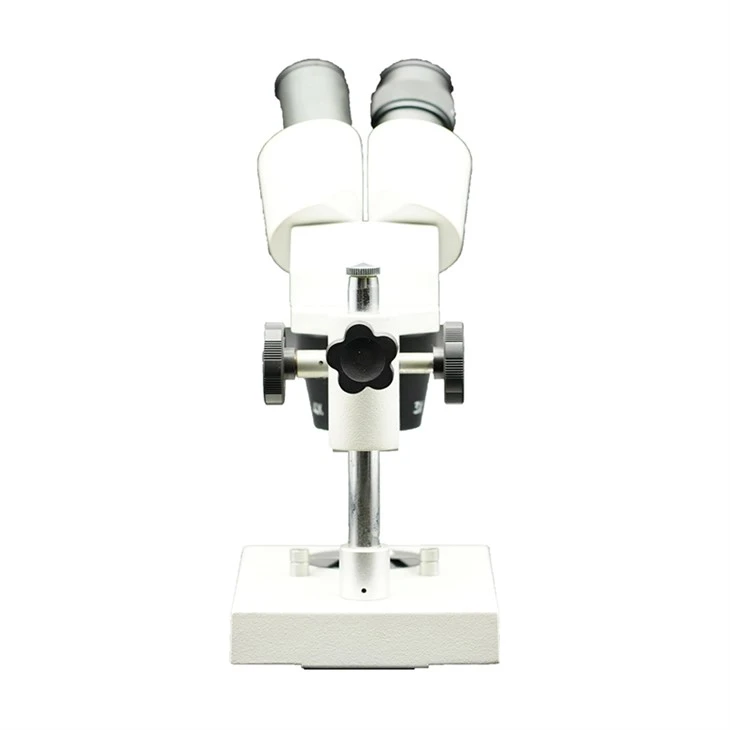
The first step in changing the objective lenses is to remove the old ones. Most binocular stereo microscopes have a turret or nosepiece where the objective lenses are mounted. This turret allows you to easily switch between different objective lenses.
To remove an objective lens, start by rotating the turret to bring the objective lens you want to remove into the working position. Some objective lenses are simply screwed onto the turret. In this case, use your small screwdriver to carefully loosen the screws. Be gentle - you don't want to strip the threads or damage the lens.
Other objective lenses might be held in place by a friction fit. If this is the case, you'll need to grip the lens firmly but gently and twist it counter - clockwise. It might take a bit of force, but don't overdo it. If you're having trouble, you can try using a lens wrench, which is a special tool designed for this purpose.
Once the objective lens is loose, carefully lift it out of the turret. Be sure to handle it by the barrel, not the lens itself. The lens is very delicate, and even the oils from your fingers can leave smudges that will affect the image quality.
Choosing the Right Replacement Objective Lenses
Now that you've removed the old objective lenses, it's time to choose the right replacements. When selecting new objective lenses, there are a few things to consider.
Magnification is one of the most important factors. You can check out Stereo Microscope Maximum Magnification 10X to get an idea of the magnification levels available. Different projects will require different magnifications. For example, if you're looking at large specimens, a lower magnification might be sufficient. But if you're examining cells or tiny organisms, you'll need a higher magnification.
Another thing to consider is the numerical aperture (NA) of the objective lens. The NA affects the resolution and the amount of light that can enter the lens. A higher NA generally means better resolution, but it also means that the lens will be more expensive.
You should also think about the working distance of the objective lens. The working distance is the distance between the front of the lens and the specimen. If you need to manipulate the specimen while viewing it, you'll want a lens with a longer working distance.
Installing the New Objective Lenses
Once you've chosen the right replacement objective lenses, it's time to install them. Start by making sure the new objective lens is clean. You can use a lens cleaning solution and a soft, lint - free cloth to gently wipe the lens.
If the new objective lens is screwed onto the turret, align the screw holes on the lens with the holes on the turret. Then, use your screwdriver to carefully tighten the screws. Make sure the lens is firmly attached, but don't over - tighten the screws, as this could damage the lens or the turret.
For friction - fit objective lenses, align the lens with the opening in the turret and gently twist it clockwise. You should feel it seat snugly in place.
After installing the new objective lens, rotate the turret to make sure it moves smoothly and that the lens is properly aligned. You might need to make some minor adjustments to get the best focus.
Testing the New Objective Lenses
Once you've installed the new objective lenses, it's time to test them. Plug in your microscope and turn it on. Place a specimen on the stage and start with the lowest magnification objective lens. Adjust the focus knobs to bring the specimen into sharp focus.
As you switch to different objective lenses, you'll need to readjust the focus. This is normal, as each objective lens has a different focal length. You can refer to Stereo Microscope Function to understand how the focusing mechanism works.
Also, pay attention to the image quality. Look for any blurriness, distortion, or other issues. If you notice any problems, double - check that the objective lens is properly installed and aligned. You might also need to clean the lens again.
Eyepiece Considerations
Don't forget about the eyepieces! The magnification of the eyepieces also plays a role in the overall magnification of the microscope. You can learn more about this in Stereo Microscope Eyepiece Magnification.
If you're changing the objective lenses, you might want to consider changing the eyepieces as well to get the best combination of magnification and field of view. Just like with the objective lenses, make sure to handle the eyepieces carefully and keep them clean.
Conclusion
Changing the objective lenses of a binocular stereo microscope might seem a bit daunting at first, but with a little patience and the right knowledge, it's a task that you can easily tackle. Whether you're looking to increase the magnification for more detailed views or change the field of view for different specimens, changing the objective lenses can open up a whole new world of microscopy.
If you're in the market for high - quality binocular stereo microscopes or replacement objective lenses, don't hesitate to reach out to us. We're here to help you find the perfect equipment for your needs. Contact us to start a procurement discussion and take your microscopy experience to the next level.
References
- Microscopy Basics Handbook
- Binocular Stereo Microscope User Manuals


